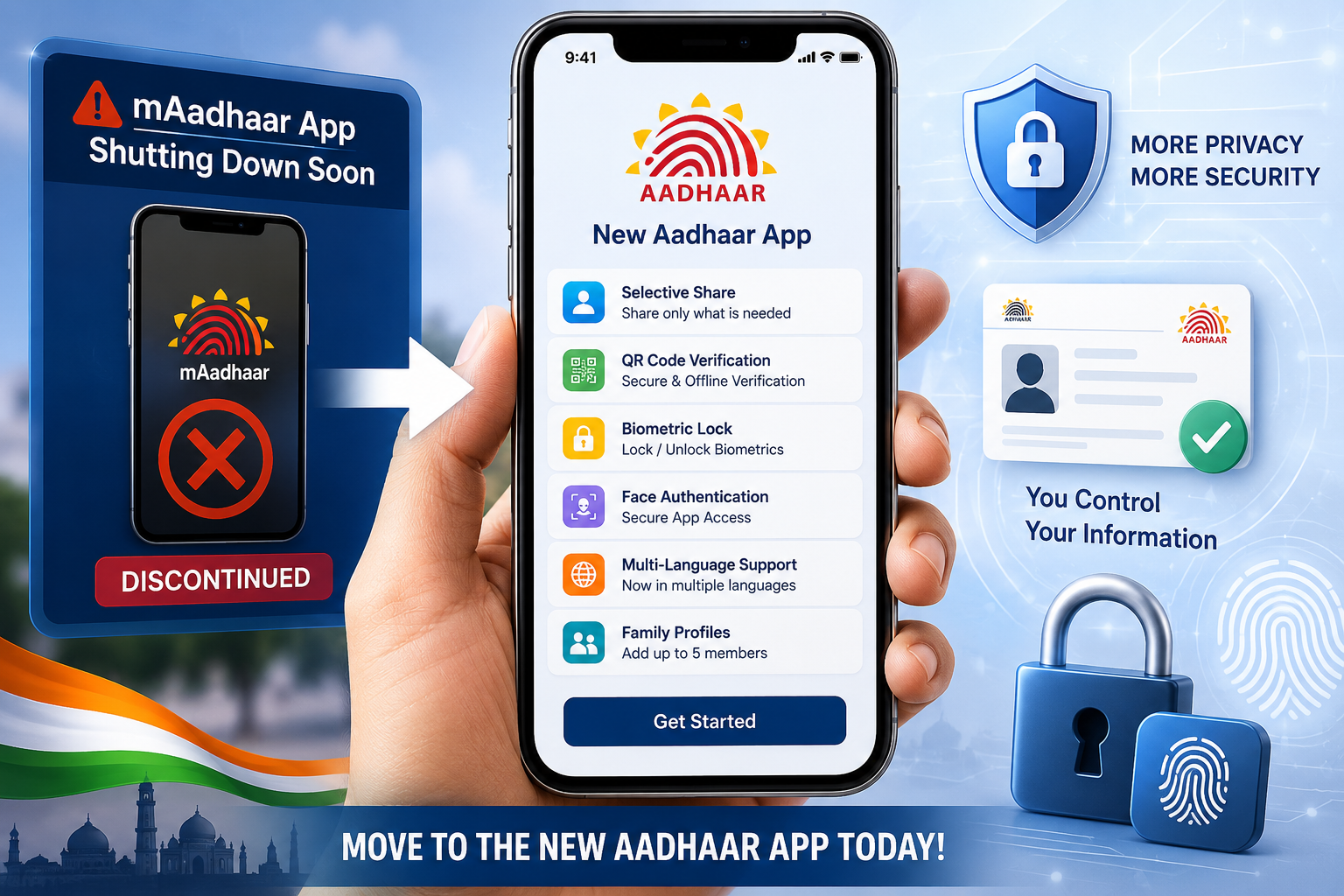
Unique Identification Authority of India has officially announced that the existing mAadhaar app will soon be discontinued, and users will need to shift to the newly launched Aadhaar mobile application. The updated app is already available for both Android and iPhone users and comes with several upgraded privacy and security features.
The move is part of UIDAI’s effort to improve digital identity security while offering users more control over how their Aadhaar information is shared and verified.
mAadhaar App to Be Discontinued Soon
The older mAadhaar application will stop functioning after its retirement period ends. Users are now being encouraged to download the new Aadhaar app as early as possible to avoid disruptions in Aadhaar-related services.
One important thing users must note is that data from the old app will not automatically transfer to the new version. This means all Aadhaar profiles, downloaded documents, and saved information must be added manually again.
What Is New in the Updated Aadhaar App?
The redesigned Aadhaar app introduces several privacy-focused and security-oriented upgrades.
Key New Features Include:
- QR-based offline Aadhaar verification
- Selective information sharing
- Biometric locking controls
- Face authentication during setup
- Support for multiple Indian languages
- Ability to add up to five family member profiles
UIDAI says the new app is designed to offer a smoother and safer user experience compared to the older mAadhaar platform.
Selective Share Feature Explained
One of the biggest changes in the new Aadhaar app is the “Selective Share” option.
Instead of revealing complete Aadhaar information everywhere, users can now choose specific details they want to share, including:
- Name
- Age
- Address
- Photograph
- Gender
- Aadhaar verification status
This helps improve privacy and reduces unnecessary exposure of the full Aadhaar number during verification processes.
QR-Based Verification for Better Security
The app now supports QR-code-based offline verification. Users can generate a secure QR code directly through the application, which can then be scanned at authorised verification centres.
This feature is expected to simplify identity verification while maintaining stronger data protection.
Biometric Locking Feature Added
The updated app also allows users to directly lock or unlock their Aadhaar biometric information.
Users can manage:
- Fingerprint authentication
- Face authentication
- Iris authentication
This feature helps prevent misuse of Aadhaar-linked biometric data.
What Will Not Transfer From mAadhaar?
UIDAI has clarified that several items stored in the old app will not move automatically to the new Aadhaar application.
Data that must be added again manually:
- Aadhaar profiles
- Downloaded Aadhaar PDFs
- Saved QR codes
- Cached data
- Linked family member profiles
Users who had previously added family members in the old app will need to repeat the setup process individually for each profile.
How to Download and Set Up the New Aadhaar App
Users can follow these simple steps to start using the updated Aadhaar application:
Step 1:
Download the official Aadhaar app from:
- Google Play Store
- Apple App Store
Step 2:
Open the app and select your preferred language.
Step 3:
Enter the mobile number linked with your Aadhaar.
Step 4:
Provide your Aadhaar number and verify it using the OTP received on your registered mobile number.
Step 5:
Complete face authentication by following the on-screen instructions.
Step 6:
Create a six-digit PIN or enable biometric security for app protection.
Step 7:
Manually add your Aadhaar profile and repeat the process for family members if required.
Important Things Users Should Remember
UIDAI has advised users not to delay migration to the new Aadhaar app.
The authority also warned that if users lose access to their registered mobile number or smartphone, Aadhaar-related services connected through the app could temporarily stop working until access is restored.
With the older mAadhaar app nearing retirement, users are encouraged to complete the transition soon to ensure uninterrupted access to Aadhaar verification and identity services.