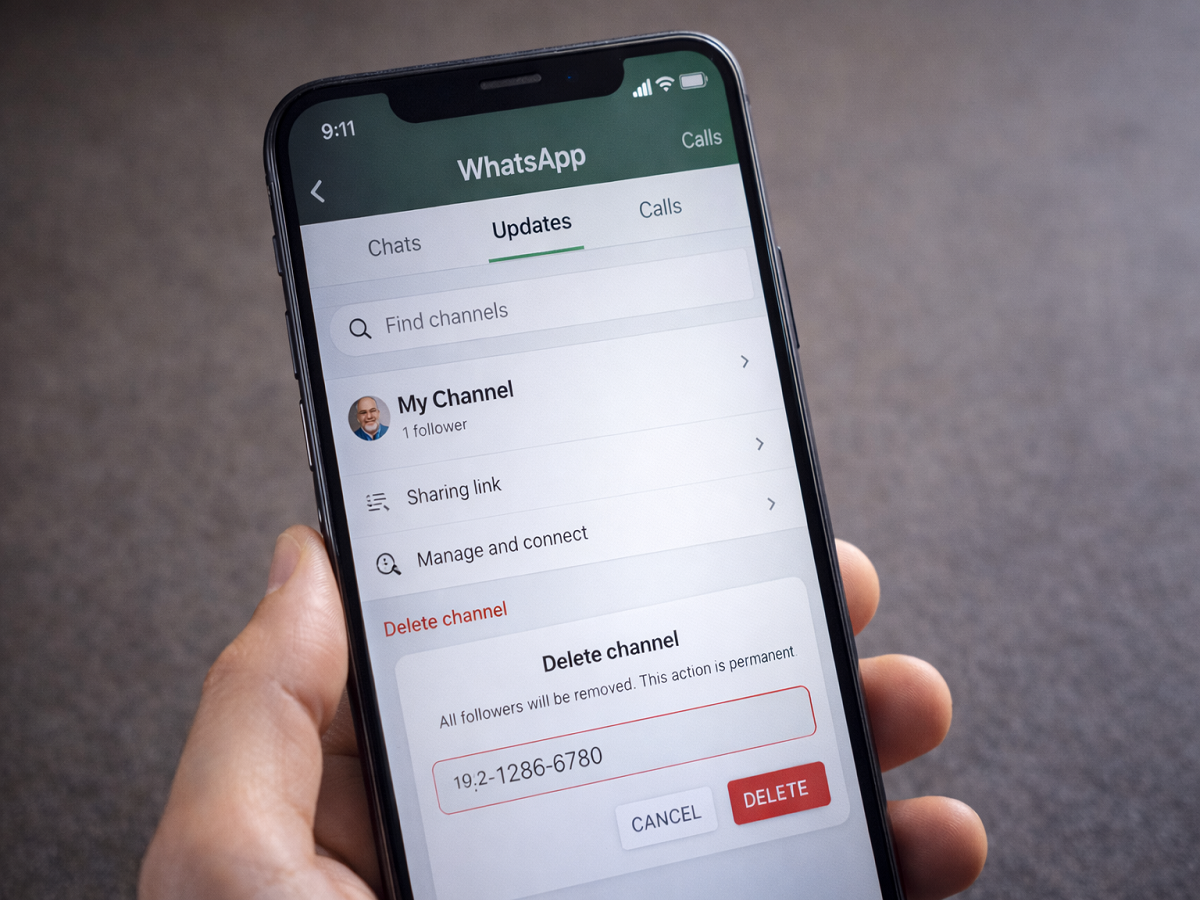
WhatsApp recently expanded its Channels feature in India and other global markets, offering users a private broadcasting tool within the app. While many creators and public figures are using Channels to share updates, some administrators may decide to remove their Channel entirely.
If you have created a WhatsApp Channel and are now considering deleting it, here is everything you need to know — including key points to remember before taking this permanent step.
Understanding WhatsApp Channels
WhatsApp Channels functions as a one-way communication platform. Channel administrators can share:
- Text updates
- Photos and videos
- Stickers
- Polls
Followers can view updates privately, and their phone numbers remain hidden from other followers. The feature is designed to deliver important updates from individuals, organisations, sports teams, and government authorities directly inside WhatsApp.
Channels can be discovered through search, directory listings, or invitation links shared via chats, email, or other platforms.
Important Things to Know Before Deleting a Channel
Before you proceed with deleting your WhatsApp Channel, keep these important points in mind:
1. Deletion Is Permanent
Once you delete your Channel, it cannot be restored. You will not be able to post updates from it again.
2. Followers Will See a System Message
Your existing followers will still be able to find the Channel name, but they will see a system notification stating that the Channel has been deleted.
3. Previous Updates May Still Exist
Past updates already delivered to followers may remain visible on their devices.
4. Non-Followers Lose Access
People who are not following your Channel will no longer be able to find it via search.
- New users cannot follow the Channel
- The sharing link will stop working
- The Channel will disappear from public discovery
Because the action is irreversible, it is advisable to carefully evaluate your decision before proceeding.
Step-by-Step Guide to Delete Your WhatsApp Channel
Follow these instructions to permanently remove your Channel:
Step 1: Open WhatsApp
Launch the WhatsApp application on your smartphone.
Step 2: Go to the Updates Section
Tap on the Updates tab (on mobile) or visit the Channels section if using WhatsApp Web.
Step 3: Select Your Channel
Locate and open the Channel you want to delete.
Step 4: Access Channel Settings
Tap (or click) on your Channel name at the top to open its settings.
Step 5: Choose Delete Channel
Select Delete Channel, then confirm by tapping Delete again.
Step 6: Confirm Your Phone Number
Enter your registered phone number to verify your identity and confirm the deletion.
Once completed successfully, you will see the message:
“You deleted your channel” displayed in the Updates tab.
Deleting a WhatsApp Channel is a straightforward process, but it is irreversible. If you are unsure, you may consider pausing activity instead of removing the Channel entirely. However, if you are certain about your decision, following the steps above will permanently delete it from the platform.
Make sure your app is updated to the latest version to access all Channel-related features and settings without any issues.