NEWS
WhatsApp Web Security Alert 2026: Government Warns Users Against Active Sessions, Follow These Tips to Stay Safe
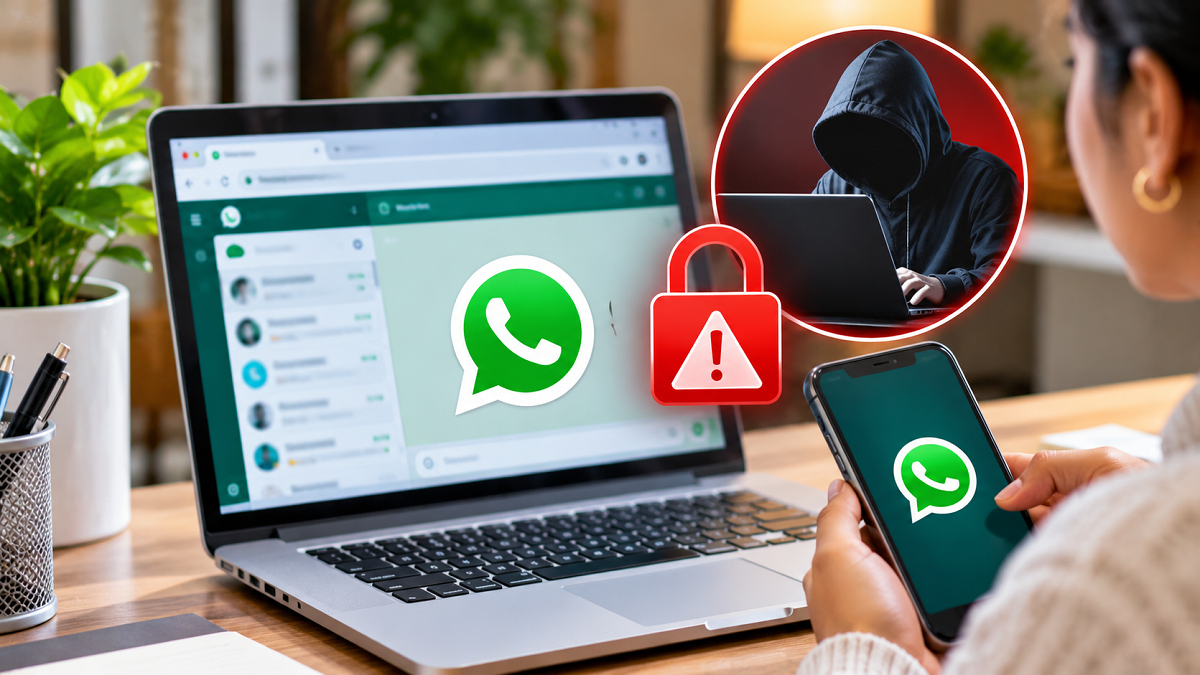
Millions of people use WhatsApp Web to communicate with colleagues, exchange documents and manage personal conversations directly from their computers. Although the platform makes messaging more convenient, leaving an account logged in on a shared or unattended computer can create serious privacy and cybersecurity risks.
The Indian Cyber Crime Coordination Centre (I4C), which operates under the Ministry of Home Affairs, has reportedly issued a security advisory highlighting the potential misuse of active WhatsApp Web sessions.
According to the advisory cited in the original report, simply closing a browser window does not necessarily disconnect a WhatsApp account from the computer. An authenticated session may remain active, potentially allowing another person with access to the device to view private conversations or impersonate the account holder.
The warning is particularly relevant for employees, students, business professionals and individuals who regularly access WhatsApp through shared computers.
Why Leaving WhatsApp Web Logged In Can Be Risky
WhatsApp Web allows users to access their messaging accounts through a compatible internet browser by linking their smartphones to computers.
Once a device has been successfully linked, users can exchange messages, access conversations and share files without repeatedly completing the authentication process.
However, this convenience can become a security concern when a computer is accessible to multiple individuals.
Someone who gains access to an unattended computer with an active WhatsApp Web session could potentially read conversations, view shared documents or send messages without the account owner's permission.
Such unauthorised access does not necessarily involve breaking WhatsApp's encryption. Instead, it involves exploiting an already authenticated device.
Cybercriminals Could Misuse Your WhatsApp Identity
An exposed WhatsApp Web session can create opportunities for identity misuse, phishing and financial fraud.
Fraudsters may impersonate the account holder and contact friends, relatives, business associates or colleagues. Since the messages appear to originate from a familiar account, recipients may be more likely to trust them.
Potential security risks include:
- Unauthorised access to private conversations.
- Exposure of confidential documents and photographs.
- Fraudulent requests for emergency financial assistance.
- Distribution of malicious links and phishing messages.
- Impersonation of the account owner.
- Access to sensitive business and group communications.
The government advisory also reportedly cautions organisations against exchanging confidential government, financial or sensitive official information through WhatsApp Web on inadequately secured computers.
Closing the Browser Does Not Automatically Log You Out
One of the most important points highlighted in the security advisory is the difference between closing a browser and terminating a WhatsApp Web session.
Many users assume that closing a browser tab or shutting down their computer automatically disconnects their WhatsApp account.
However, the authenticated session may remain stored in the browser. When someone subsequently opens WhatsApp Web on the same computer, the account could still be accessible.
Users should therefore manually log out after completing their work, particularly when using shared, borrowed or office computers accessible to others.
Private or incognito browsing may help reduce the retention of browser session data, but it does not protect against compromised computers or malicious software. Manual logout remains an important precaution.
How to Log Out of WhatsApp Web on a Computer
Users can disconnect their WhatsApp Web account directly from the browser by following these simple steps:
- Open WhatsApp Web on your computer.
- Locate the menu or settings option.
- Select the Log Out option.
- Confirm the action if prompted.
- Ensure that the WhatsApp login screen appears before leaving the computer.
This simple process can prevent another person from accessing the same authenticated session.
How to Remotely Disconnect WhatsApp From an Unknown Device
If you forget to log out of WhatsApp Web or suspect that someone is accessing your account, you can review and disconnect linked devices through your smartphone.
For Android Users:
Open WhatsApp, tap the three-dot menu and select Linked Devices. Review the connected devices, select any unfamiliar or unnecessary session and tap Log Out.
For iPhone Users:
Open WhatsApp, navigate to Settings, select Linked Devices, choose the device you wish to disconnect and tap Log Out.
The selected device will be disconnected from your WhatsApp account.
Menu names and locations may vary slightly depending on the application version.
7 Important WhatsApp Security Tips Every User Should Follow
| Security Tip | Why It Matters |
|---|---|
| Manually log out of WhatsApp Web | Prevents access through unattended sessions |
| Regularly review linked devices | Helps identify unauthorised connections |
| Enable two-step verification | Adds protection against account registration fraud |
| Avoid public computers | Reduces exposure to compromised devices |
| Keep applications and browsers updated | Helps address known security vulnerabilities |
| Avoid suspicious links and downloads | Reduces phishing and malware risks |
| Never share verification codes | Helps prevent account takeover attempts |
Users should also protect their computers with strong passwords, automatic screen locking and updated security software.
Avoid Using WhatsApp Web on Public Computers
Accessing personal messaging accounts through public or unfamiliar computers can expose users to additional cybersecurity threats.
Computers available at cybercafés, hotel business centres, public kiosks and other shared facilities may contain malicious software or inadequate security protections.
Even private browsing mode cannot guarantee protection against keyloggers, malware or other forms of unauthorised monitoring.
Whenever possible, access WhatsApp through your personal smartphone or a trusted computer that is protected with appropriate security measures.
What to Do If Your WhatsApp Account Is Compromised
If you notice messages that you did not send, unfamiliar linked devices or unusual account activity, take immediate action.
Disconnect suspicious devices, enable two-step verification and inform your contacts about possible fraudulent messages sent from your account.
If you suspect that your computer has been compromised, use a trusted device to secure your account and have the affected computer checked for malicious software.
In India, victims of financial cyber fraud can contact the national cybercrime helpline at 1930 or submit a complaint through the National Cyber Crime Reporting Portal at cybercrime.gov.in.
Reporting financial fraud promptly may improve the chances of preventing further losses.
A Few Seconds of Caution Can Protect Your Digital Privacy
WhatsApp Web remains a convenient communication tool for personal and professional use. However, its security also depends on how responsibly users manage their connected devices and active sessions.
Regularly reviewing linked devices, manually logging out of shared computers and maintaining updated security software can significantly reduce avoidable privacy risks.
Users should remember that end-to-end encryption protects communications but cannot prevent someone from reading messages through an already authorised and accessible device.
Taking a few simple cybersecurity precautions can help safeguard personal conversations, confidential information and financial security.
Official Cybercrime Reporting Portal: https://cybercrime.gov.in/
Cyber Fraud Helpline: 1930
Disclaimer: This article is based on the supplied news report. The specific government advisory has not been independently verified. Users should refer to official I4C communications and WhatsApp security guidance for the latest information.