NEWS
WhatsApp Safety Guide: Received Inappropriate Disappearing Media on WhatsApp? Here’s How to Report It Quickly
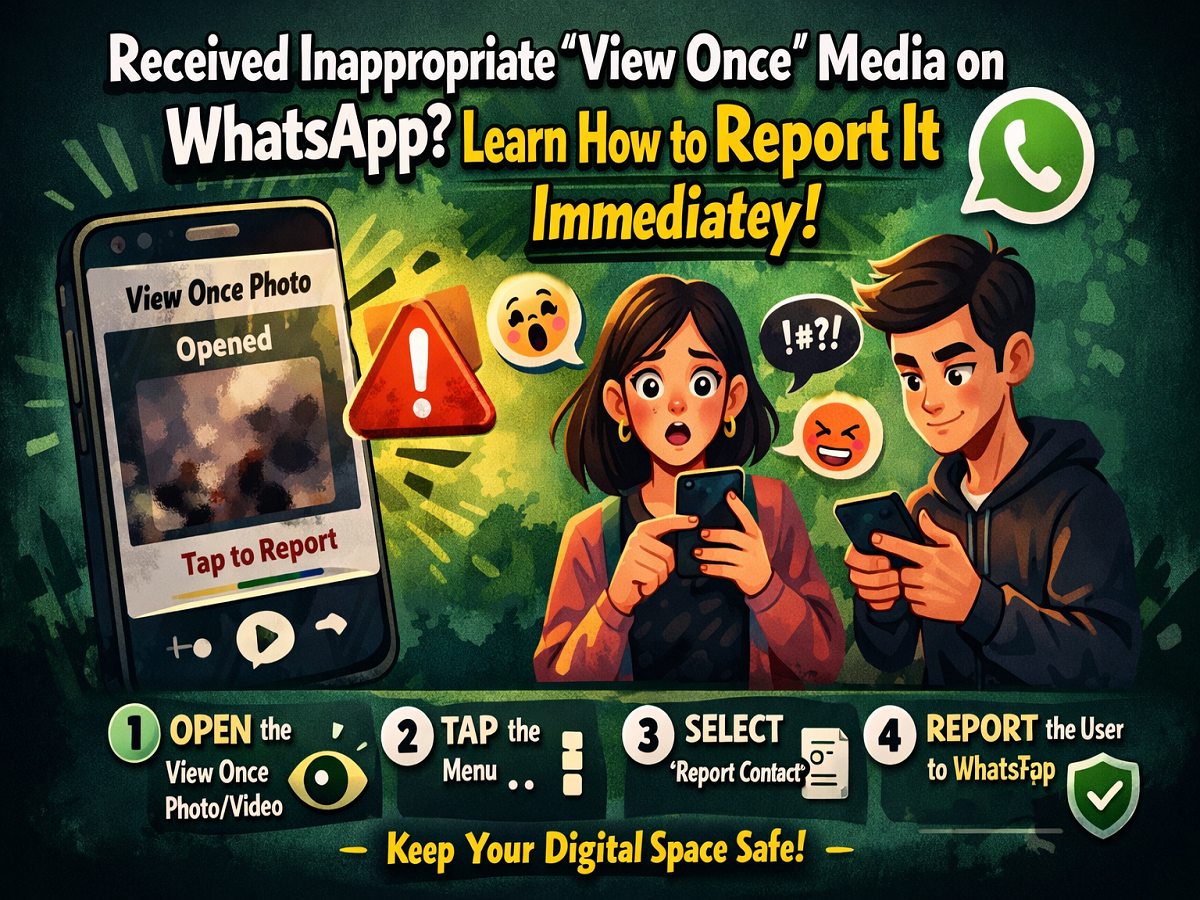
With growing concerns around online safety, WhatsApp has introduced features to protect user privacy—one of them being the ‘View Once’ option. While this feature is meant to allow users to send photos and videos that disappear after a single view, it can sometimes be misused to share offensive or inappropriate content.
If you ever come across such content, WhatsApp provides a simple way to report it. Here’s a detailed and easy-to-follow guide to help you take action.
Understanding the ‘View Once’ Feature
The ‘View Once’ feature enables users to send photos or videos that automatically disappear after being opened. Once the recipient views the content, it is removed from the chat, and the sender gets a notification that the media has been seen.
Although this feature enhances privacy, it also creates a loophole for misuse, as harmful or inappropriate content may vanish quickly, leaving little trace behind.
Why Reporting Matters
Receiving offensive or disturbing content—even if it disappears—can negatively impact your mental well-being. Reporting such content is important because:
- It helps maintain a safe environment on the platform
- It allows WhatsApp to take action against violators
- It protects other users from similar abuse
- It can lead to suspension or banning of the offender’s account
By reporting such messages, you contribute to making the platform safer for everyone.
Steps to Report ‘View Once’ Media on Android
If you are using an Android device, follow these steps:
- Open the WhatsApp chat where you received the ‘View Once’ media.
- Tap to open the disappearing photo or video.
- Click on the three-dot menu in the top-right corner.
- Select Report Contact or Report Unknown User.
Once submitted, WhatsApp will review the report and take necessary action.
Steps to Report ‘View Once’ Media on iPhone
For iPhone users, the process is slightly different:
- Open the chat containing the ‘View Once’ message.
- Tap to view the photo or video.
- Click on the three-dot menu located at the bottom of the screen.
- Choose Report Contact or Report Unknown User.
After reporting, WhatsApp may analyze the content and take action accordingly.
What Happens After Reporting?
When you report a user:
- WhatsApp receives a copy of the reported media
- The content is reviewed for policy violations
- Appropriate action is taken, which may include warnings, restrictions, or account bans
This system ensures that misuse of disappearing media is addressed effectively.
Tips to Stay Safe on WhatsApp
To avoid such situations in the future, keep these safety tips in mind:
- Share ‘View Once’ media only with trusted contacts
- Avoid interacting with unknown or suspicious numbers
- Regularly review your privacy settings
- Be cautious while opening unexpected media files
WhatsApp has also strengthened its privacy controls by limiting screenshot and screen recording options for ‘View Once’ content in many cases.
Final Thoughts
The ‘View Once’ feature on WhatsApp is designed to enhance privacy, but awareness and caution are equally important. Knowing how to report inappropriate content ensures that you remain in control of your digital space.
If you receive any offensive or unwanted media, don’t hesitate—report it immediately and help create a safer online environment.