Business
Instant e-PAN Online: Get PAN From Home for Free Using Aadhaar; Check Eligibility and Step-by-Step Process
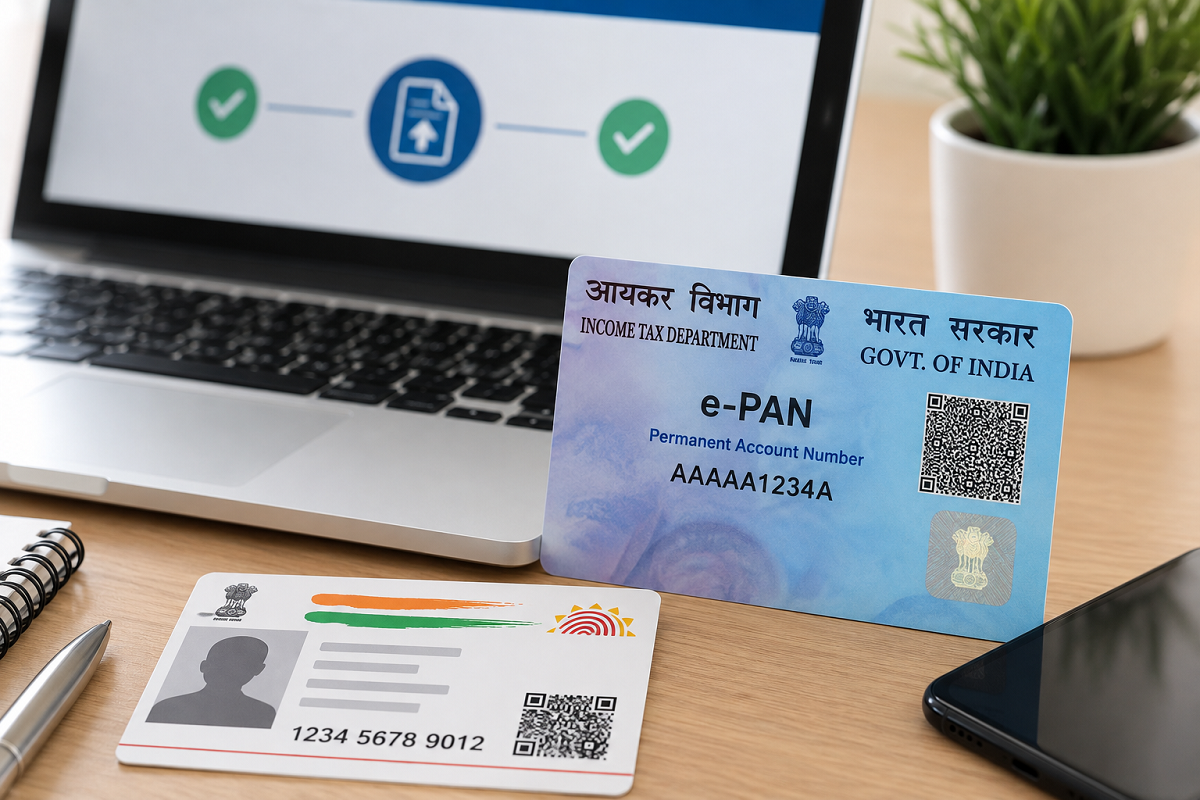
Instant e-PAN Online: Getting a Permanent Account Number (PAN) does not necessarily require visiting an office, submitting physical documents or paying an application fee. The Income Tax Department offers an Instant e-PAN facility that allows eligible individuals who do not already have a PAN to apply online using Aadhaar-based e-KYC.
The facility is completely online and free of cost. Once allotted, the applicant receives a digitally signed PAN in electronic format, commonly known as an e-PAN.
The service can be particularly useful for people applying for a PAN for the first time, provided they satisfy the eligibility requirements.
Here is how the Instant e-PAN facility works, who can use it and how you can apply from home.
What Is an Instant e-PAN?
Instant e-PAN is an online facility provided through the Income Tax Department's e-Filing portal.
Instead of following the conventional PAN application process, eligible individuals can generate a PAN using their Aadhaar details and Aadhaar-linked mobile number.
The PAN is issued digitally, which means applicants do not have to wait for a physical card before using their PAN number for eligible financial or tax-related purposes.
An e-PAN is a valid form of PAN and can be used wherever PAN details are required, subject to the applicable rules.
Is Instant e-PAN Really Free?
Yes. The Income Tax Department provides the Instant e-PAN generation facility free of cost.
Applicants do not have to pay a fee for generating an Instant e-PAN through the official facility.
The process is also paperless. There is generally no requirement to submit physical copies of documents or upload scanned photographs and signatures because the applicant's identity details are authenticated electronically through Aadhaar e-KYC.
Who Can Apply for an Instant e-PAN?
The facility is intended primarily for individuals who are applying for PAN for the first time.
An applicant generally needs to satisfy the following requirements:
- The applicant should not already have a PAN.
- The applicant must have a valid Aadhaar number.
- Aadhaar should be linked to an active mobile number for OTP authentication.
- The applicant should not be a minor on the date of application.
- The individual should meet the other eligibility conditions prescribed for the Instant e-PAN service.
- Access to DigiLocker may also be required under the current Instant e-PAN process.
People who already have a PAN should not apply for another PAN through the Instant e-PAN facility.
What Documents Are Required?
One of the biggest advantages of the Instant e-PAN system is that extensive paperwork is not required.
For eligible applicants, Aadhaar-based electronic verification is used for processing the request.
You should keep your Aadhaar number and Aadhaar-linked mobile phone ready before starting the process. You should also ensure that the personal information available in your Aadhaar record is correct.
Since OTP verification is involved, access to the mobile number registered with Aadhaar is essential.
How to Apply for Instant e-PAN Online
The application can be started through the Income Tax Department's official e-Filing portal.
Follow these steps:
Step 1: Visit the Income Tax Department e-Filing portal.
Step 2: Look for “Instant e-PAN” under the Quick Links section on the homepage.
Step 3: Select the option to “Get New e-PAN.”
Step 4: Read the declaration and provide the required consent for PAN generation using Aadhaar e-KYC and DigiLocker data.
Step 5: Proceed with Aadhaar authentication and complete the verification process as instructed on the portal.
Step 6: Verify the OTP sent to the mobile number registered with Aadhaar.
Step 7: Check the Aadhaar-linked details displayed during the process and complete any other required verification.
Step 8: Submit the request.
After successful submission, an acknowledgement number is generated. Applicants should save this number because it may be required to track the application.
A confirmation is also sent to the Aadhaar-linked mobile number.
How to Check Instant e-PAN Status
You do not necessarily have to log in to check whether your PAN has been generated.
Go to the Income Tax e-Filing portal and select Instant e-PAN from Quick Links.
Choose the Check Status/Download e-PAN option and enter your Aadhaar number.
After completing the required authentication, the portal will display the current status of your e-PAN request.
If the PAN has already been allotted, you can view or download the electronic PAN from the portal.
Can You Download e-PAN Later?
Yes.
Once your PAN has been successfully generated, you can download the electronic copy through the Instant e-PAN facility.
Registered users can also log in to the e-Filing portal and navigate to:
Services → View/Download e-PAN
The downloaded e-PAN serves as an electronic PAN document.
What If You Already Have a PAN?
If you have already been allotted a PAN but have lost the card, you should not use the Instant e-PAN facility to obtain another PAN number.
Instead, you should use the appropriate PAN reprint or related service.
Having more than one PAN can create compliance issues, so applicants should first make sure that they have never been allotted a PAN before requesting a new Instant e-PAN.
Can Foreign Citizens Use Aadhaar e-KYC Instant e-PAN?
The Aadhaar e-KYC based Instant e-PAN facility is not meant for foreign citizens.
Such applicants may have to follow the regular PAN application procedure applicable to their category.
What If Aadhaar Authentication Fails?
Aadhaar authentication can fail for several reasons, including an incorrect OTP or problems with the Aadhaar-linked information.
If an OTP is entered incorrectly, applicants can try again using the correct OTP within its validity period.
If Aadhaar authentication continues to fail, the applicant may need to resolve the Aadhaar-related issue through the appropriate UIDAI channel before trying again.
Is a Physical PAN Card Necessary?
An e-PAN itself is a valid form of PAN, so having a printed card is not mandatory merely to have a valid PAN number.
However, people who prefer a physical PAN card can separately request a printed card after PAN allotment through an authorised PAN service provider. A fee may apply for such a physical card or reprint service.
Why Instant e-PAN Can Be Useful
PAN is required for several tax and financial activities in India. It is also mandatory to quote PAN while filing an Income Tax Return wherever the law requires it.
The Instant e-PAN service makes the process considerably simpler for eligible first-time applicants by eliminating much of the traditional paperwork.
With Aadhaar-based verification, an Aadhaar-linked mobile number and the required digital access, eligible users can complete the request online from home without paying an Instant e-PAN generation fee.
Important Points to Remember
Before applying, make sure that you have never been allotted a PAN, your Aadhaar information is correct and your Aadhaar-linked mobile number is active.
Applicants should use only the official Income Tax Department e-Filing portal for the Instant e-PAN process and avoid sharing Aadhaar OTPs or sensitive personal information with unknown websites, agents or callers.
Disclaimer: This information is intended for general guidance. PAN eligibility, Aadhaar authentication requirements and online procedures may be updated by the Income Tax Department. Applicants should check the latest instructions on the official e-Filing portal before submitting a request.