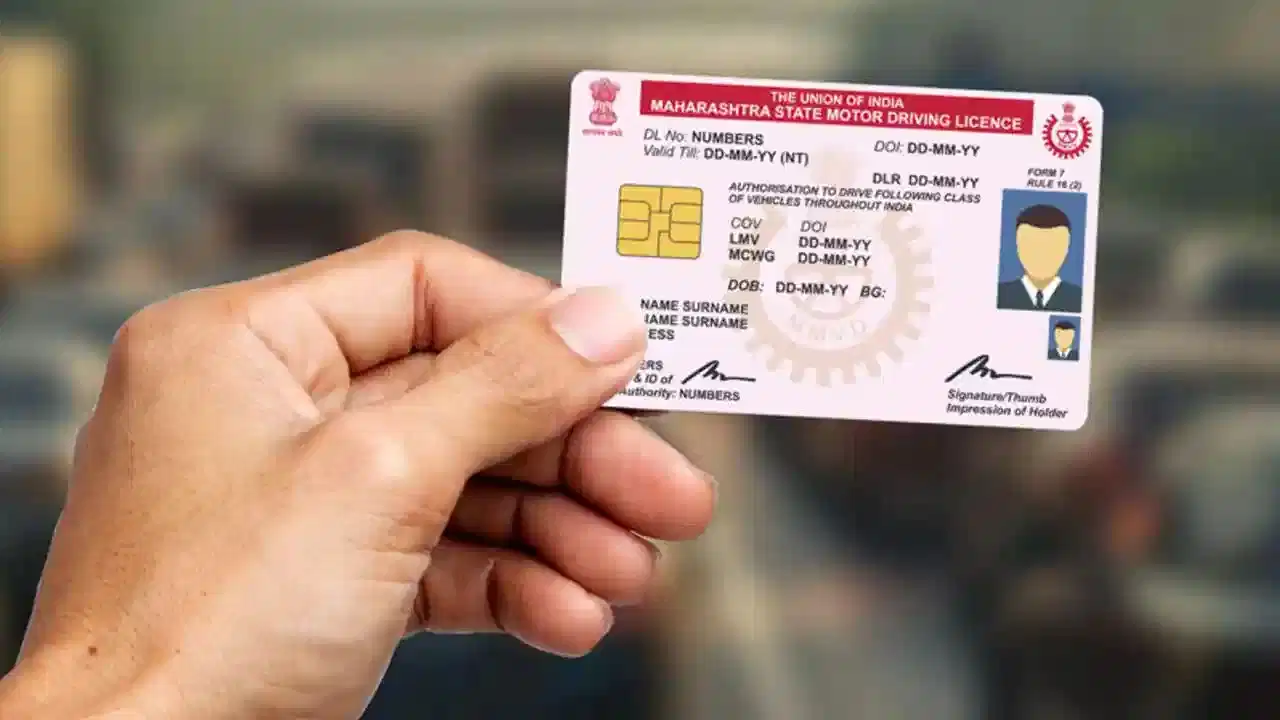
Driving Licence Address Change: Moving to a new home involves more than shifting your belongings. You may also need to update the address on important documents, including your driving licence (DL). Fortunately, many driving licence-related services are now available online, making it possible to start the address-change process without repeatedly visiting an RTO.
The service can generally be accessed through the government’s Sarathi Parivahan portal. However, the exact documents, fees, Aadhaar-based services and need for an RTO visit can vary depending on the state and individual application.
Here's how the process generally works.
Why Should You Update the Address on Your Driving Licence?
Your driving licence is an important government-issued document that contains personal details, including your registered address.
If you permanently move to another location, keeping your DL information current can help avoid discrepancies between your licence and other identity or address documents.
The Ministry of Road Transport and Highways provides various driving licence services through the Parivahan Sewa portal, from where applicants can access state-specific services.
Keep These Documents Ready
Before starting your application, keep your current driving licence details and valid proof of your new address available.
Depending on the state and application, you may be asked for documents such as:
- Existing driving licence
- Valid proof of the new address
- Identity-related documents, where required
- Photograph and signature, if requested
- Additional declarations or forms specified by the licensing authority
Aadhaar, passport, voter ID or other government-accepted documents may be usable as address proof depending on the applicable requirements.
Instead of assuming that every document will be accepted everywhere, check the document list displayed on the official portal for your state while applying.
How to Change the Address on Your Driving Licence Online
Start by visiting the official Sarathi Parivahan website.
Select your state and proceed to the section for Driving Licence-related services.
Enter the requested information, which can include your driving licence number, date of birth and other identification details.
After your licence details are retrieved, look for the available DL services and select the option related to Change of Address.
Enter the new address carefully. Make sure spellings, PIN code, district and other details match your supporting address document.
You can then upload the documents requested by the portal. Aadhaar-based authentication or e-KYC may also be available in some cases.
Complete any additional steps displayed on the screen and pay the applicable fee online, where supported.
After submitting the application, save or print the application number, acknowledgment or payment receipt. You may need these details to track your request.
Can You Track Your Application Online?
Yes, applicants can generally check the progress of their driving licence application through Sarathi.
Open the portal, select the relevant state and use the Application Status facility. Enter the requested application details to see the current status.
Keeping your acknowledgment or application number safe makes tracking considerably easier.
What If You Have Moved to Another State?
Moving from one state to another can involve additional requirements because the licensing authority may change.
Depending on the case and the services implemented by the respective states, additional verification, supporting documents or information from the previous licensing authority may be required.
Some cases may involve an NOC or related verification, but you should not assume that an NOC is mandatory for every interstate DL address change. The requirement can depend on the service, state and licensing authority.
Therefore, applicants moving between states should first select the destination state on the Sarathi portal and check the instructions generated for their specific application.
Will You Have to Visit the RTO?
Not necessarily, but an online application does not guarantee that the entire process will always be completed without a physical visit.
Depending on the state and circumstances, you may be asked to visit the RTO for document verification, biometric-related requirements or another procedural step.
Follow the instructions shown on your application rather than visiting an RTO unnecessarily.
How Much Does It Cost?
A government fee may apply when requesting a change of address or related driving licence service. Additional charges may also appear for other services requested alongside the address update.
Since payable amounts and associated charges can depend on the service and state implementation, check the fee displayed on the official portal before making payment.
Avoid paying money to unofficial websites or individuals claiming that they can "guarantee" approval.
Check These Details Before Submitting
Before clicking the final submit button, verify your name, DL number, date of birth, complete new address, PIN code and uploaded documents.
Even a small discrepancy between the address entered in the form and the supporting document could result in additional verification or delay.
Also make sure uploaded documents are clear and readable.
Use Only the Official Portal
Driving licence services involve sensitive personal information, so applicants should be careful about fake websites and advertisements that resemble government portals.
For online DL services, start with the official Parivahan Sewa website or Sarathi Parivahan portal.
If you have recently moved, updating the address on your driving licence can prevent outdated information from remaining on an important government document. With many states offering online facilities, much of the application can now be initiated from a phone or computer—though the final requirements will depend on your state and individual case.