NEWS
Website Safety Tips: How to spot a fake website? Just look for these two small symbols in the address bar.
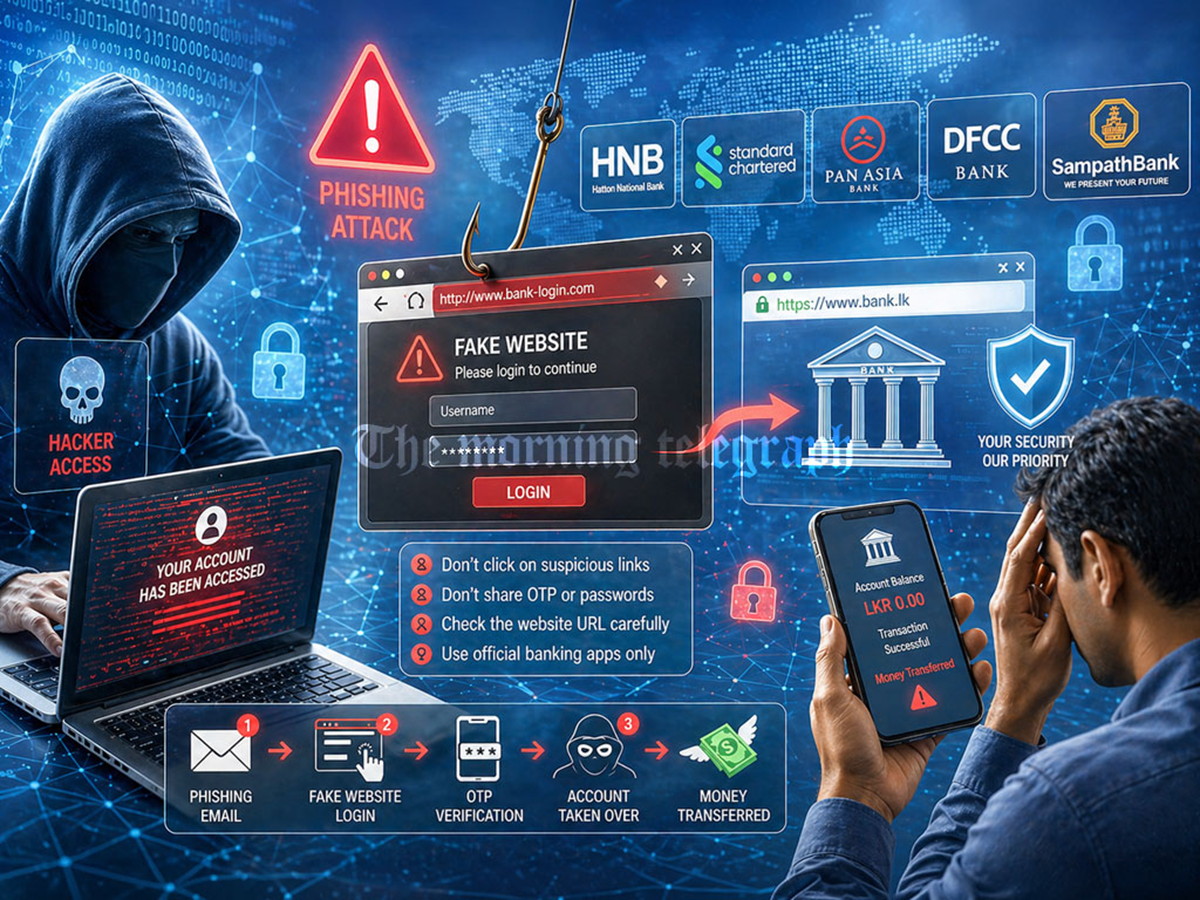
Fake Websites: Cybercriminals are creating fake websites that mimic the identities of well-known companies and banks. Clicking on these websites can empty your account. Learn how to tell if a website is real or fake.
Difference between genuine and fake websites
Fake Websites: In today's digital age, websites exist for everything from online shopping to banking. The ease of using websites increases the risk of scams. Cybercriminals are creating fake websites imitating well-known companies, banks, and government portals.
These websites look so genuine that even well-educated people are deceived. As soon as you enter your password, card number, or OTP on these fake sites, your bank account can be emptied in minutes. Let us tell you two small signs that can help you distinguish between a real and a fake website.
Check HTTPS and the lock icon.
Whenever you open a website, its URL appears in the address bar at the top. The primary hallmark of a genuine and safe website is the HTTPS letter at the beginning of its link. The "S" here stands for "secure." This means that the data transmitted from your phone or computer to the website is completely encrypted and cannot be intercepted by any hacker.
If a website link simply says "HTTP" and the "S" is missing, it's a sign that the site isn't secure. Many browsers also display a small lock or settings icon next to "HTTPS." Clicking this icon allows you to verify the site's security certificate. If you see "Not Secure" or a red warning in the address bar, don't enter your personal information or bank details on that website.
Pay attention to the spelling and extension of the domain name
Cyber criminals often exploit people's haste by employing a tactic called typosquatting. This involves making subtle spelling changes to the name of a genuine, well-known website, making it difficult to detect at first glance. For example, instead of the real website amazon.in, they create a link like arnazon.in or amaz0n.in, replacing the m with an rn or an o with a zero.
Similarly, it's crucial to check the website's final name, the extension. In India, genuine government websites always end with .gov.in or .nic.in, while bank websites typically use .bank.in or their official domain. If a website appears in the name of a government scheme or bank with a strange extension like .com, .xyz, or .online, be wary, as it could be a fake.
Pay attention to these things.
Often, messages about information, offers, or your account arrive via WhatsApp, SMS, or email, containing a link. If these messages are not from official numbers but from unknown numbers and contain shortened links, do not click them at all; they lead to phishing websites.
To use any bank or government service, always type its official address directly into your browser instead of searching on Google. Sometimes, sponsored ads that appear at the top of Google searches may be from fake websites, so don't blindly click on the first link you see. A little vigilance could save you from online fraud worth lakhs of rupees.