Business
Digital Life Certificate 2026: Aadhaar Face Authentication Dos and Don'ts Every Pensioner Should Know
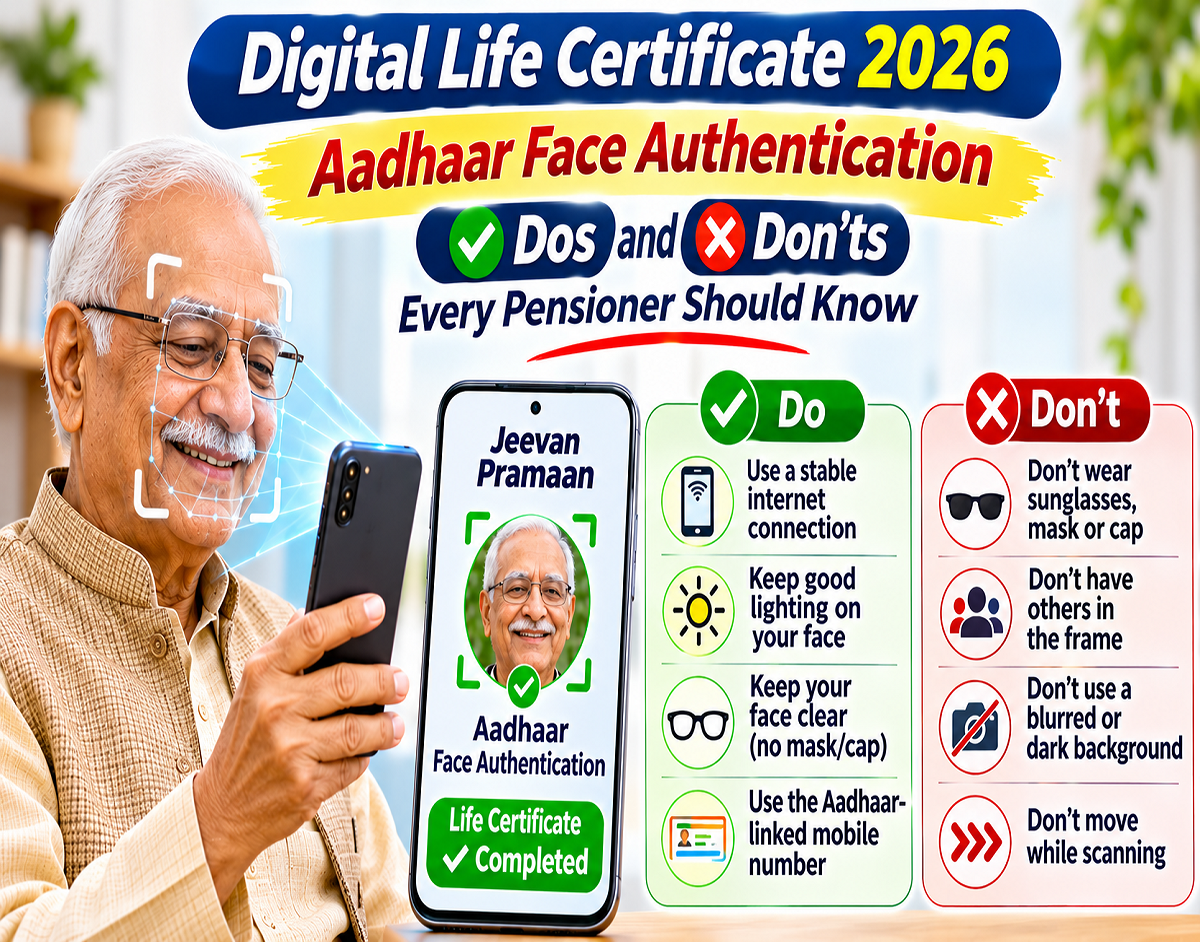
Digital Life Certificate 2026: Pensioners can now complete their annual life certificate verification from home using Aadhaar Face Authentication, eliminating the need for repeated visits to banks or pension offices. However, following the correct procedure is important to avoid authentication failures and unnecessary delays while generating a Digital Life Certificate (DLC).
An awareness message highlighting Aadhaar Face Authentication has encouraged pensioners to follow simple precautions while using the Jeevan Pramaan service. Proper lighting, correct camera positioning, accurate personal information and a stable internet connection can help make the verification process smoother.
The facility is particularly useful for elderly pensioners who may face difficulties travelling to banks or using fingerprint-based biometric devices.
What Is Aadhaar Face Authentication for Digital Life Certificates?
Aadhaar Face Authentication is a digital identity verification method that allows eligible pensioners to authenticate themselves using facial recognition technology.
The service is used with the Jeevan Pramaan system to generate a Digital Life Certificate.
A DLC serves as electronic confirmation that a pension beneficiary is alive and can continue receiving pension payments, subject to the applicable pension rules.
Instead of visiting a bank branch for physical verification, pensioners with compatible smartphones can complete the authentication process digitally.
The system uses the smartphone camera and the required Aadhaar authentication applications to verify the pensioner's identity.
Aadhaar Face Authentication: Important Dos and Don'ts
Pensioners should follow these practical precautions when generating their Digital Life Certificates.
| What You Should Do | What You Should Avoid |
|---|---|
| Sit in a well-lit area | Avoid dark rooms and strong backlighting |
| Keep your face clearly visible | Do not cover your face with masks or other obstructions |
| Hold the smartphone steadily | Avoid shaking or moving the camera excessively |
| Position your face within the on-screen frame | Do not move too close to or too far from the camera |
| Follow the application's instructions | Avoid unnecessary head movements during verification |
| Use a stable internet connection | Do not begin verification with unreliable connectivity |
| Enter accurate pension information | Avoid incorrect Aadhaar, PPO or bank details |
| Use official applications | Do not install apps from suspicious links |
These are general practical recommendations for smoother face verification. Users should follow the instructions displayed by the official application if they differ.
How to Generate a Digital Life Certificate Using Aadhaar Face Authentication
Pensioners can complete the verification process using supported mobile applications.
Step 1: Install the Required Applications
Download the official AadhaarFaceRD application and the supported Jeevan Pramaan Face App from an authorised application store.
Check the publisher information before installation.
Step 2: Complete the Initial Setup
Open the Jeevan Pramaan application and complete the required setup or operator authentication.
The application may request permissions needed for the verification process.
Step 3: Enter Pensioner Information
Provide the requested Aadhaar and pension-related details.
These may include the Pension Payment Order number, pension disbursing agency and other required information.
Step 4: Start Face Authentication
Follow the instructions to activate the camera-based verification process.
Step 5: Position Your Face Correctly
Keep your face clearly visible within the frame and follow any on-screen instructions.
Step 6: Complete Verification
Allow the application to process the authentication request.
Step 7: Save the Certificate Details
After successful generation, preserve the Jeevan Pramaan acknowledgement or identification number.
The exact procedure may vary according to the application version and supported device.
Why Is Proper Lighting Important During Face Authentication?
Lighting can affect the quality of the image captured by the smartphone camera.
If the room is too dark, the application may have difficulty capturing the required facial details.
Similarly, strong light directly behind the pensioner may create shadows that reduce image clarity.
For better results, pensioners should sit in an evenly lit area where their face is clearly visible.
Natural daylight or suitable indoor lighting may help improve the quality of the captured image.
Why Should Pensioners Avoid Moving During Verification?
Face Authentication systems require the camera to capture facial information accurately.
Excessive movement can interfere with image capture and may cause the verification attempt to fail.
Pensioners should hold the phone steadily and follow the application's positioning instructions.
If assistance is needed, a family member or authorised helper can support the device while the pensioner completes the required authentication actions.
What Information Is Required for Jeevan Pramaan?
Before starting the process, pensioners should keep their identification and pension records available.
Important details may include:
- Aadhaar number or supported Virtual ID.
- Pension Payment Order (PPO) number.
- Pension disbursing agency details.
- Pension-linked bank account information.
- Mobile number for relevant communications.
Providing accurate information is essential because incorrect details may create problems during certificate generation or subsequent verification by the pension disbursing authority.
What Should You Do If Aadhaar Face Authentication Fails?
Authentication failures can occur for several reasons, including poor lighting, camera problems, connectivity issues or incorrect information.
If verification is unsuccessful, pensioners can try the following:
- Move to a better-lit location.
- Clean the smartphone camera lens.
- Check the internet connection.
- Ensure that the face is correctly positioned.
- Review the information entered in the application.
- Update the official applications if necessary.
- Follow the error-specific instructions displayed on the screen.
If the problem continues, pensioners can seek assistance from an authorised bank, post office or Digital Life Certificate service centre.
Repeated unsuccessful attempts should not be treated as confirmation that a pensioner is ineligible for the service.
What Is the Digital Life Certificate Submission Deadline in 2026?
For many central government pensioners, the regular annual life certificate submission period runs from November 1 to November 30.
Pensioners aged 80 years and above are generally permitted to submit their life certificates from October 1.
However, submission timelines may differ depending on the pension scheme and disbursing authority.
Pensioners should verify their applicable deadline and complete the process within the prescribed period.
Can Pensioners Generate a DLC Without Visiting a Bank?
Yes. Eligible pensioners with compatible smartphones can use the supported Face Authentication facility from home.
Those who cannot complete the process independently may seek assistance through authorised service centres or designated camps.
Availability of assisted or doorstep services depends on local arrangements.
The Digital Life Certificate facility can therefore reduce the need for repeated bank visits, although some pensioners may still require assistance if digital verification is unsuccessful.
How to Check Whether Your Digital Life Certificate Was Generated
After completing Face Authentication, pensioners should confirm that the application has successfully generated their Digital Life Certificate.
They should save the acknowledgement or Jeevan Pramaan ID provided by the system.
The official Jeevan Pramaan portal at jeevanpramaan.gov.in provides access to certificate-related services.
Pensioners may also contact their pension disbursing authority to confirm that the certificate has been received and accepted.
Important Safety Advice for Pensioners
Pensioners should download only official applications and avoid installing software from unknown websites.
They should never disclose OTPs, banking passwords or other confidential information to unauthorised individuals.
If someone offers to generate a Digital Life Certificate in exchange for suspicious payments or requests sensitive banking credentials, the pensioner should verify the service provider's authenticity before proceeding.
Using authorised channels helps protect personal information and reduces the risk of digital fraud.
Simple Precautions Can Make Digital Verification Easier
Aadhaar Face Authentication provides an alternative to traditional physical verification for pensioners who need to submit their annual Digital Life Certificates.
By ensuring proper lighting, stable camera positioning, accurate pension details and reliable connectivity, users can reduce avoidable authentication problems.
The awareness message encourages pensioners to adopt digital services and enjoy greater convenience while completing their annual verification requirements.
Important Reminder: Pensioners should follow the official application's instructions carefully, use authorised verification tools and confirm that their Digital Life Certificate has been generated successfully before considering the process complete.
Source Credit: Aadhaar Face Authentication and Digital Life Certificate Awareness Advisory (text supplied); Unique Identification Authority of India (UIDAI) — Official website; Jeevan Pramaan — Official portal; Department of Pension & Pensioners' Welfare, Government of India — Official website.