A mobile number has become an important part of everyday banking. From receiving transaction notifications to authorising digital payments, your registered mobile number helps you stay informed about activity in your bank account. If you have recently switched to a new phone number but your bank records still contain the old one, updating it should be a priority.
Banks use registered mobile numbers to send debit and credit alerts, one-time passwords (OTPs), security notifications and other account-related information. An outdated number can therefore cause inconvenience and, in some situations, create a potential security concern.
Fortunately, customers may have several ways to change their bank-linked mobile number. Depending on the bank, the update may be possible through internet banking, a mobile banking application, an ATM or by visiting a branch.
Can You Change Your Bank Mobile Number Online?
Some banks allow customers to request changes to their registered mobile number through internet banking. However, the exact procedure and eligibility requirements can differ from one bank to another.
If your bank provides this facility, the general process may look like this:
- Visit your bank's official website and sign in to your internet banking account.
- Open the Profile, Personal Details, Contact Details or a similar section.
- Look for an option to modify or update your registered mobile number.
- Enter the new number carefully and follow the instructions displayed on the screen.
- Complete the authentication process required by the bank.
Banks may use OTPs, debit card details or another verification method before accepting a request. Some institutions may also require verification through the existing registered number.
The mobile number may not always change immediately after the request is submitted. Processing time and verification requirements depend on the bank.
Check Your Bank’s Mobile App
Mobile banking apps are another convenient place to check for a mobile-number update facility.
After signing in to the bank's official application, customers can look under sections such as Profile, Settings, Personal Information, Contact Details or Account Settings.
If an update option is provided, enter the new mobile number and complete the authentication steps shown by the bank.
Customers should remember that this feature is not universally available. Some banks may allow customers to view their registered number through the app but may not permit them to change it directly.
Therefore, follow only the instructions displayed in your bank's official application.
Some Banks May Allow Mobile Number Updates Through ATMs
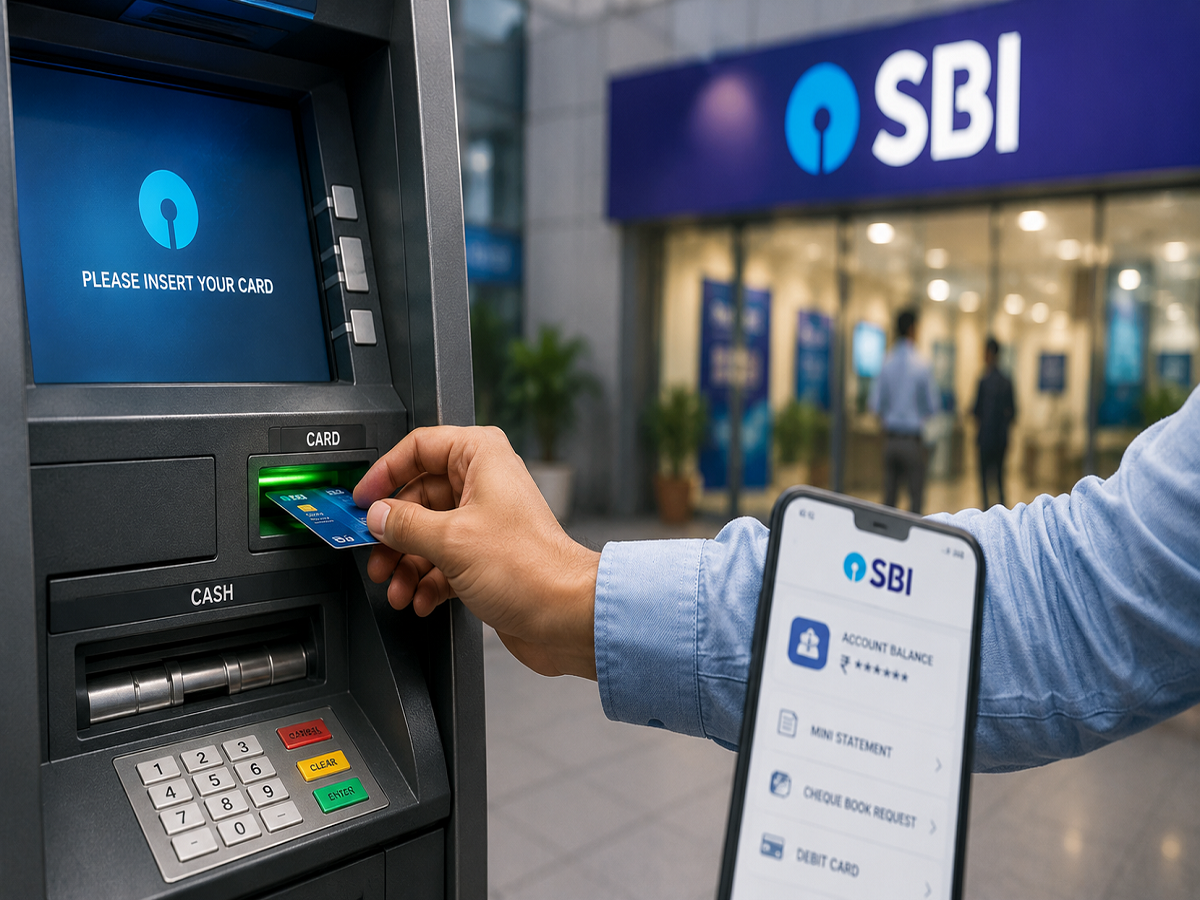
Customers may also be able to initiate a registered mobile number change through an ATM, depending on the services offered by their bank.
Where this facility is available, customers generally need to visit an ATM operated by their bank, insert the debit card and authenticate themselves using the ATM PIN.
The menu may contain an option such as Registration, Mobile Number Registration, Update Mobile Number or Contact Details.
Customers can then follow the on-screen instructions and provide the information requested by the bank. Additional authentication may be required before the request is processed.
If you cannot find such an option at the ATM, do not assume there is a problem with your account. The service may simply not be supported by your bank or through that particular channel.
Why Keeping Your Registered Number Updated Matters
Your bank-linked mobile number plays an important role in both convenience and account security.
Transaction alerts sent to the correct number can help you monitor money entering or leaving your account. If an unfamiliar payment or withdrawal takes place, receiving an alert quickly may help you identify the issue sooner and contact your bank.
The registered number is also commonly used for OTP-based authentication across several banking services. An inactive or inaccessible number can therefore make certain online banking activities more difficult.
There is another security consideration. Telecom operators may eventually reassign inactive mobile numbers according to their policies. Keeping an old number attached to financial accounts for an extended period is therefore best avoided.
Important Safety Tips While Changing Your Bank-Linked Number
Updating contact details involves sensitive financial information, so customers should use only trusted banking channels.
Always access internet banking by typing or opening your bank's verified official website rather than following unfamiliar links received through SMS, email or messaging applications. Similarly, install and use only the bank's genuine mobile application from an authorised app store.
Never disclose your OTP, ATM/debit card PIN, internet banking password or UPI PIN to anyone claiming that these details are required to update your mobile number. Banks do not require customers to reveal confidential PINs or passwords to another person.
Be particularly careful with messages that create urgency by claiming your account will immediately be blocked unless you click a link and update your details.
What If Online or ATM Updating Is Not Available?
If your bank does not provide a digital or ATM-based option, you may need to visit a branch.
Carry the documents or identification required by your bank and ask for the procedure to change the registered mobile number. Requirements can vary, so checking the bank's official customer-support information before visiting can save time.
Once the update is completed, verify that transaction notifications and other banking alerts are arriving on your new number.
Final Takeaway
Changing your phone number is easy, but forgetting to update it with your bank can create unnecessary problems later. A current registered mobile number helps ensure that OTPs, transaction alerts and important security notifications reach you without interruption.
Whether you can make the change through internet banking, a mobile app, an ATM or only at a branch depends on your bank's policies. Whichever method you use, rely exclusively on official banking channels and never share confidential credentials with anyone.
Keeping your mobile number up to date is a small step that can make digital banking safer, smoother and easier to manage.