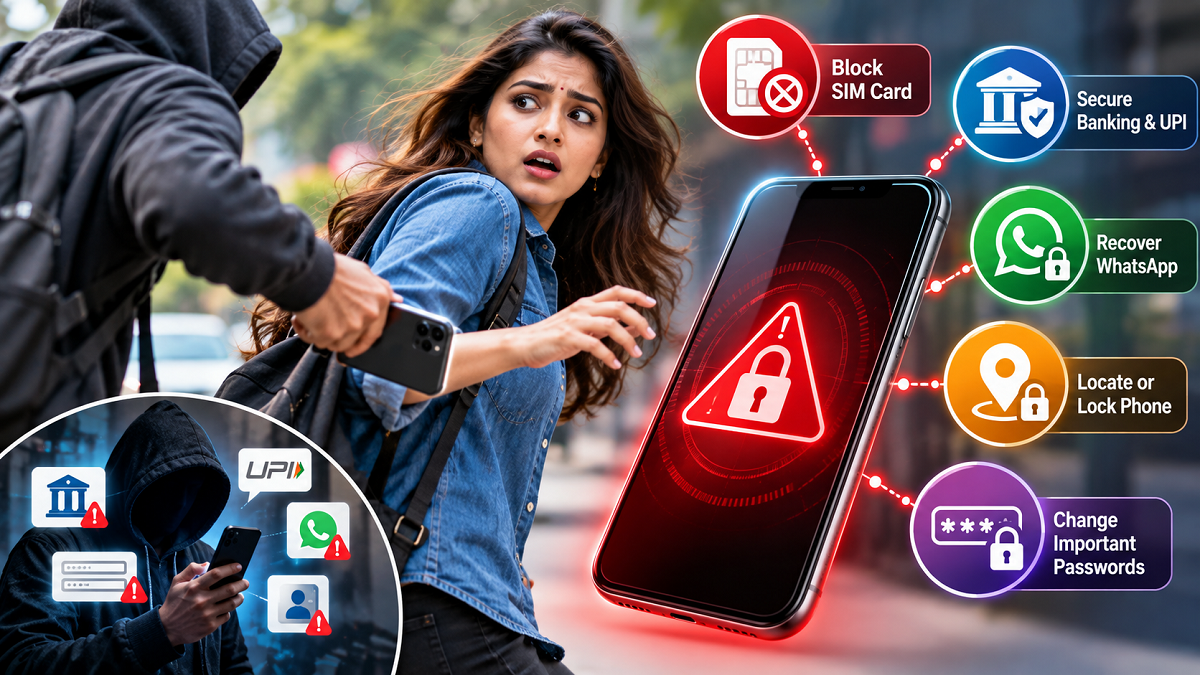
Losing a smartphone can be far more serious than simply losing an expensive device. Modern phones often contain access to email, banking apps, UPI services, WhatsApp conversations, photographs, social media accounts, cloud storage and other sensitive information.
If a phone is stolen, delaying action could increase the risk of someone attempting to access personal accounts or misuse the mobile number linked to financial services. However, losing a phone does not automatically mean that money will be stolen from your bank account. Security measures such as screen locks, banking credentials, UPI PINs and other authentication controls can provide protection.
The important thing is to act quickly. From blocking the SIM card to remotely securing the device, here are five steps that can help reduce the risk after a smartphone is lost or stolen.
1. Contact Your Telecom Operator and Block the SIM
One of the first things you should consider doing is contacting your mobile network provider and reporting the stolen phone.
Ask the telecom operator to suspend or block the SIM associated with the missing device. This is particularly important because your registered mobile number may receive OTPs, verification messages and other account-related communications.
Blocking the SIM can reduce the risk of someone using the number to receive SMS messages, make calls or attempt account-recovery procedures.
After completing the required verification, you can generally request a replacement SIM with the same mobile number from your telecom operator.
Once the replacement is activated, you can begin restoring access to services linked to that number.
2. Secure Your UPI and Mobile Banking Access
If the stolen smartphone contained active UPI or mobile banking applications, securing financial access should be a priority.
Contact your bank through its official customer-care channels and explain that the device linked to your account has been stolen. Ask what steps are available to temporarily secure or disable mobile banking and UPI access if necessary.
You should also log in from another trusted device, where possible, and review recent account activity.
Look carefully for transactions that you do not recognise. If you discover an unauthorised transaction, report it to your bank immediately and follow the bank's dispute and fraud-reporting procedure.
Change important banking credentials where appropriate.
Most importantly, never disclose your UPI PIN, ATM PIN, banking password or OTP to anyone. A fraudster may contact you after the theft while pretending to be a bank representative, police officer, telecom employee or someone who has "found" your phone.
Use only verified official channels when seeking assistance.
3. Restore Control of Your WhatsApp Account
A stolen phone may also leave your WhatsApp account accessible if the device itself can be unlocked.
After receiving a replacement SIM with your existing number, install WhatsApp on another trusted smartphone and register the same mobile number.
Complete the required verification process. Activating the number on the new primary phone can help you regain control of the account.
Once access has been restored, review your WhatsApp security settings. Enabling two-step verification can provide an additional layer of protection.
You should also review linked devices and remove sessions that you no longer recognise or use.
4. Remotely Locate or Lock the Stolen Smartphone
Both major smartphone platforms provide device-finding features that can be useful after a phone disappears, provided the necessary settings and account access were enabled beforehand.
Depending on the device and its current status, these services may allow you to locate the phone, remotely lock or secure it, display contact information on its screen, or take other protective actions.
If you believe there is little chance of recovering the smartphone and sensitive information remains at risk, remote data erasure may also be available.
However, remotely deleting the phone should be considered carefully. Once the data has been erased, your ability to continue locating or tracking the device may be affected depending on the platform and circumstances.
If a location service shows that the stolen phone is somewhere unfamiliar, avoid trying to confront a suspected thief yourself. Consider sharing relevant information with law-enforcement authorities instead.
5. Change Passwords and Remove Access to Important Accounts
Your smartphone may contain active login sessions for several services even if passwords are not directly stored on the device.
Using another trusted device, review the security settings of your most important accounts.
Start with your primary email account because email is often used for password resets and account recovery. You should then review financial accounts, social media profiles, cloud storage, shopping applications and any other service containing personal or sensitive information.
Where available, use the account's security settings to sign out the stolen device or terminate active sessions.
Change passwords where necessary and enable multi-factor authentication on important accounts.
Speed Matters After a Smartphone Is Stolen
A stolen smartphone should be treated as a potential digital-security incident, not merely as the loss of a physical device.
Blocking the SIM, protecting UPI and banking access, recovering messaging accounts, remotely securing the phone and reviewing active account sessions can significantly reduce the opportunities for misuse.
It is also useful to prepare before a theft ever happens. Keep your phone protected with a strong screen lock, enable device-finding features, use additional authentication for important accounts and maintain secure backups of essential information.
Taking these precautions in advance can make it much easier to protect your money, personal information and online accounts if your smartphone is ever lost or stolen.